Is your employer brand working?

Give candidates a reason to consider your job and enough detail to judge the fit before the first call. Bessire helps you show the real work on job boards and your careers site.

What is Employer Brand Value?

Your employer brand is the impression people form about working for you. Employer Brand Value (EBV) is what that impression does for hiring. When job ads, profiles and your careers site show the real work, candidates have more reason to consider the role and can judge whether it fits before a first call.

Give candidates a reason
Show what makes the role worth a closer look, such as a set schedule, paid training or a path to lead a team.
Help candidates check fit
Spell out the location, hours and day-to-day work so people can decide whether the role works for them.
Make applying easier
Keep the job details consistent and give interested candidates a clear way to apply from their phone.

What’s your EBV level?

Pick a job you hire for often. Start with the first question a candidate would struggle to answer. Each level shows a public example and what you can do for your own roles.

Make your jobs findable

“Is there a job near me?”

Candidates can find your company name, location and open jobs. They may still have to contact you for basics like the shift or what experience they need.

Machine operator example
In a machine operator posting, state the worksite, day or night shift, pay range where available, and which skills are required on day one.
What to do next
Compare one opening across the places you post it. Update the title, location and schedule so they agree.
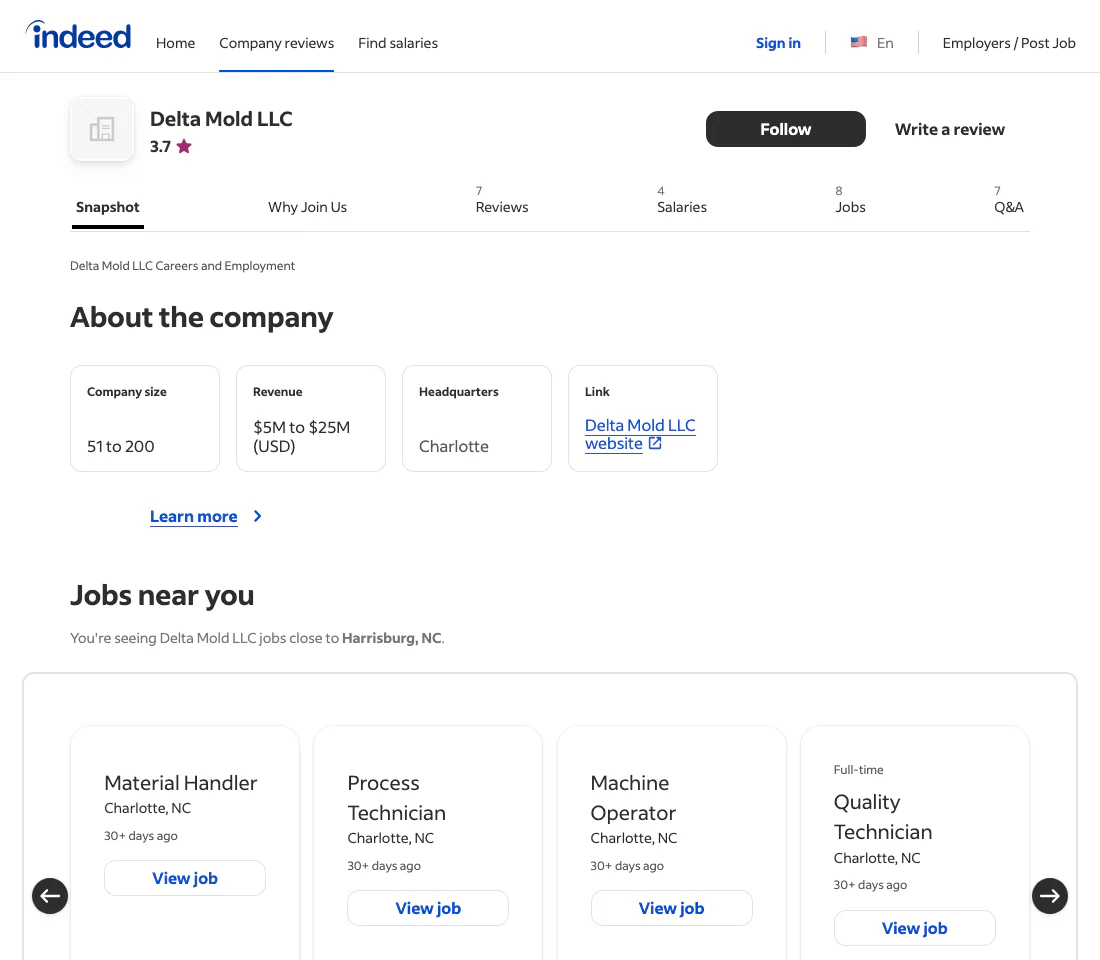
Delta Mold LLC’s Indeed Snapshot shows company facts and four Charlotte-area job cards.
Delta Mold LLC’s Indeed Snapshot

The Snapshot shows Charlotte openings such as Machine Operator and Material Handler, with a link to each job.

View the public page for Delta Mold LLC’s Indeed Snapshot
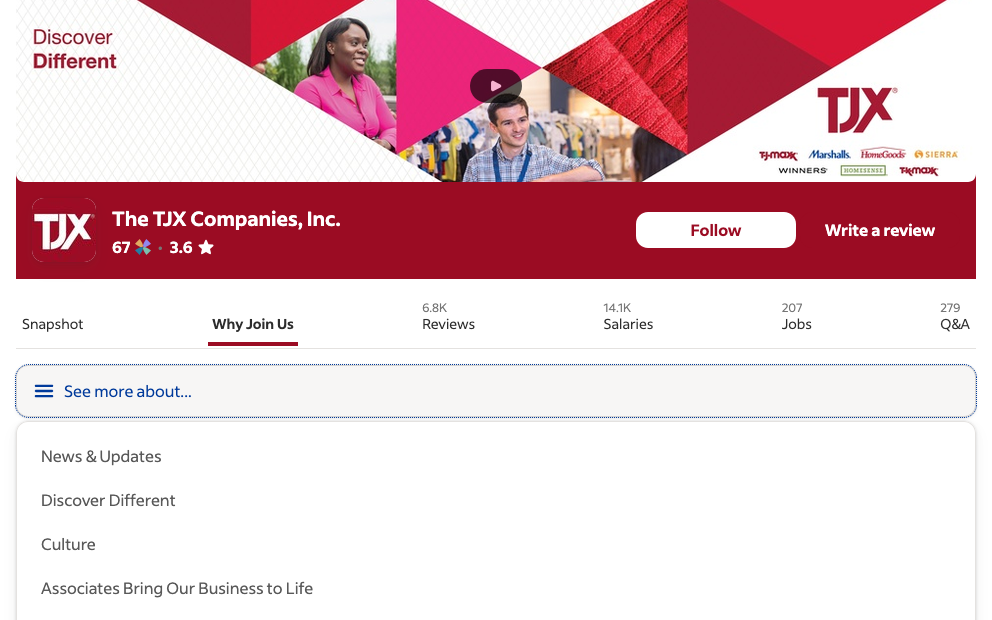
These levels describe the experience candidates see. A careers site can work alongside free recruiting profiles. Screenshots were captured in November 2026 and open at full size.

How do candidates find and learn about your company?

A candidate might hear about you from a referral, search for a job, or see an employee’s post. They can then check reviews, visit your website and decide whether to apply. HCA Healthcare’s public pages show three places they might look.

  1. Find an opening

    People may start with a job board or search for a role near them. Use a recognizable company name, a clear title and the actual work location.

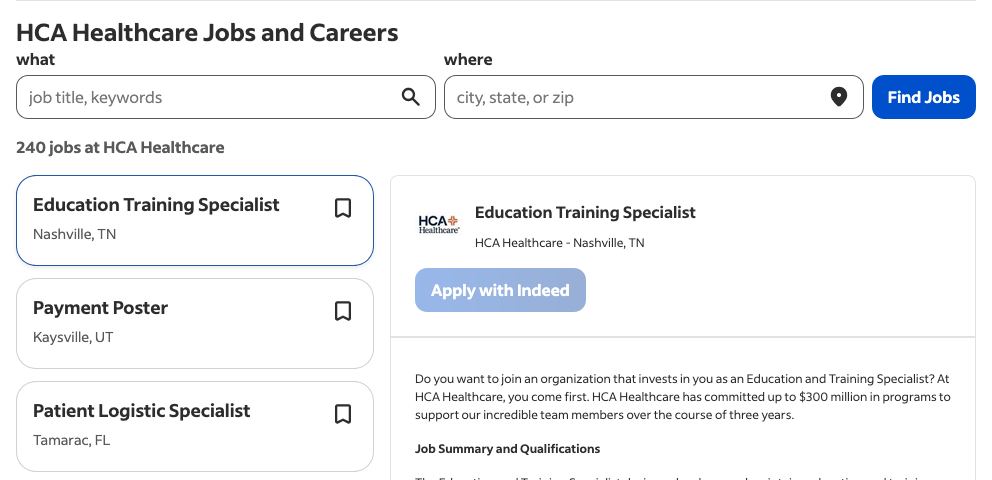
    HCA Healthcare job search and a listing with an Apply with Indeed button.
    HCA Healthcare’s job listings on Indeed

    The Nashville Education Training Specialist listing shows the job location and an Apply with Indeed button.

    View the public page for HCA Healthcare’s job listings on Indeed
  2. Research the employer

    Candidates can read reviews, check your profile and look for employee stories. Show what new hires do, how they train and who supports them.

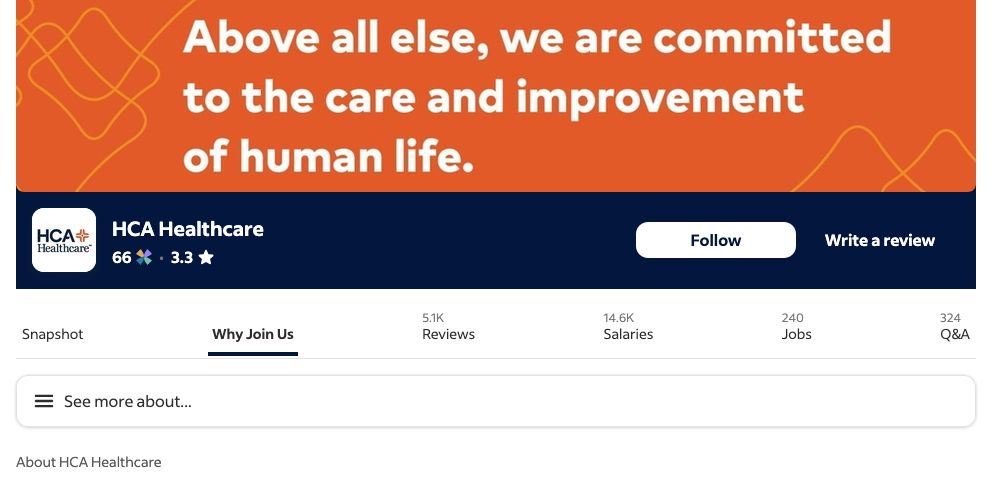
    HCA Healthcare’s orange mission banner and Why Join Us tab on Indeed.
    HCA Healthcare’s employer profile on Indeed

    The Why Join Us tab shows HCA’s mission. Candidates can also switch to reviews, salaries or jobs from the same profile.

    View the public page for HCA Healthcare’s employer profile on Indeed
  3. Visit your careers site

    Give candidates a clear path from Careers to the job that fits. List the location, hours and requirements, then make Apply easy to find.

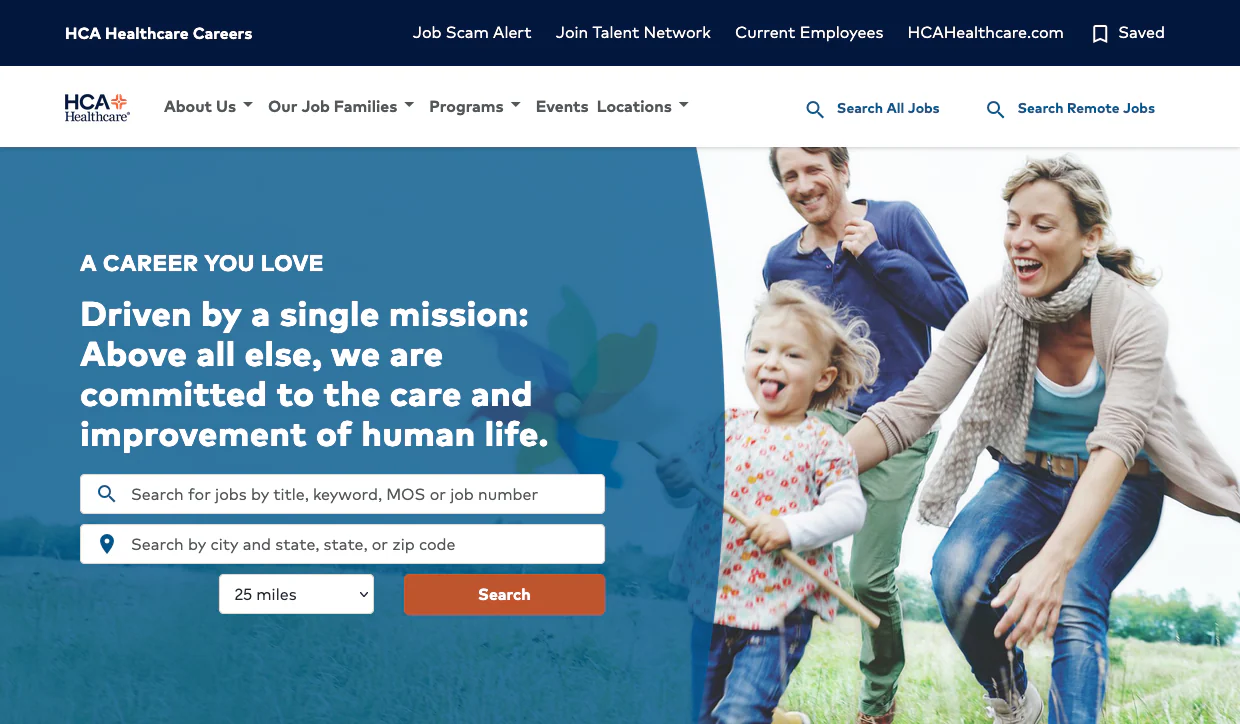
    HCA Healthcare Careers with a mission statement and job search by keyword and location.
    HCA Healthcare’s own careers site

    HCA’s own site gives candidates keyword and location search, plus a way to explore job families before opening a listing.

    View the public page for HCA Healthcare’s own careers site

HCA’s public pages were captured November 11, 2026. Job availability and application options change.

Test one role on mobile

Search for your job on a phone. Check whether the title, location and hours agree across pages. Follow Apply and see where a candidate might get stuck.

Book a 15-minute employer brand review

Paid employer branding opportunities

Start with accurate listings, an employee story and a clear Apply link. Consider Indeed and Glassdoor’s paid Employer Branding Suite if the people you need use those sites and you can name what you need to improve, such as visibility in a hiring market or reporting across profiles.

  1. Reach more job seekers

    Use eligible display placements to introduce your company to job seekers beyond an individual posting.

  2. Show the work

    Use photos, videos and eligible Spotlight Pages to explain what it’s like to work on a particular team.

  3. Make jobs recognizable

    Branded Jobs can put your name and logo on eligible listings so people recognize you when they find an opening.

  4. Measure awareness

    Where available, Brand Score reports awareness, consideration, favorability and reputation. Review Intelligence can surface patterns in reviews.

Before you spend, pick one hiring goal and record a baseline. For example, track how many people view one role, start the application and reach a qualified interview. Features and eligibility vary by package. Indeed prices subscriptions and Sponsored Jobs separately.

Employer branding by industry

Pick a role and start with a question candidates might ask. Answer it with an employee story on your recruiting profiles and practical details on the job page.

Medical-surgical nurse

“Which unit would I join, how long is orientation, and who can help when the floor gets busy?”

On recruiting profiles
Ask a recent hire and their preceptor to describe one skill they practiced together during orientation.
On your Careers site
List the unit, shift, credentials and weekend or float expectations. Explain how long orientation lasts and who supports new hires.

What your careers site needs

Give candidates a way to browse teams or locations and a job page that answers their practical questions. For one hard-to-fill role, start with the schedule, training, requirements and a clear Apply link.

Compare Amazon and Kiewit
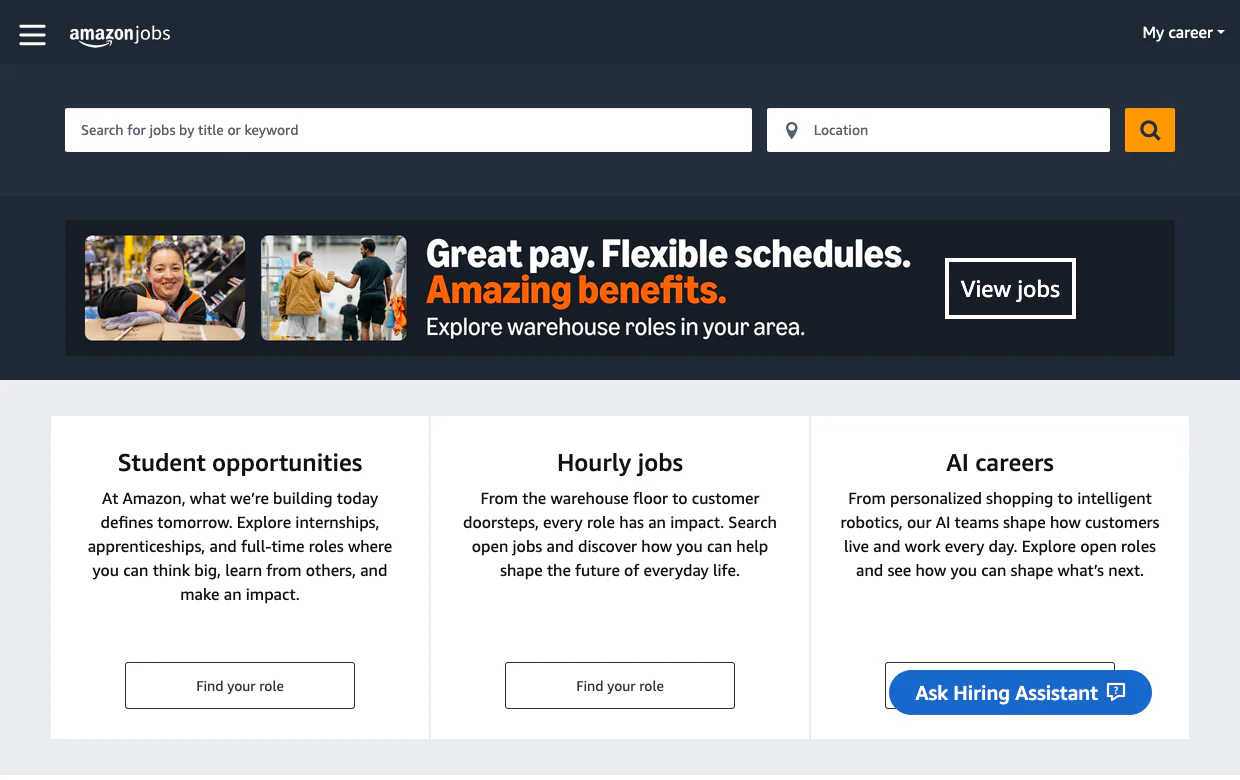
Amazon Jobs with a job search, benefits information and separate links for student, hourly and AI careers.
Amazon Jobs

Amazon helps people who already know what they want search by keyword or location. It also gives different groups a starting point, including students and hourly applicants.

View the public page for Amazon Jobs
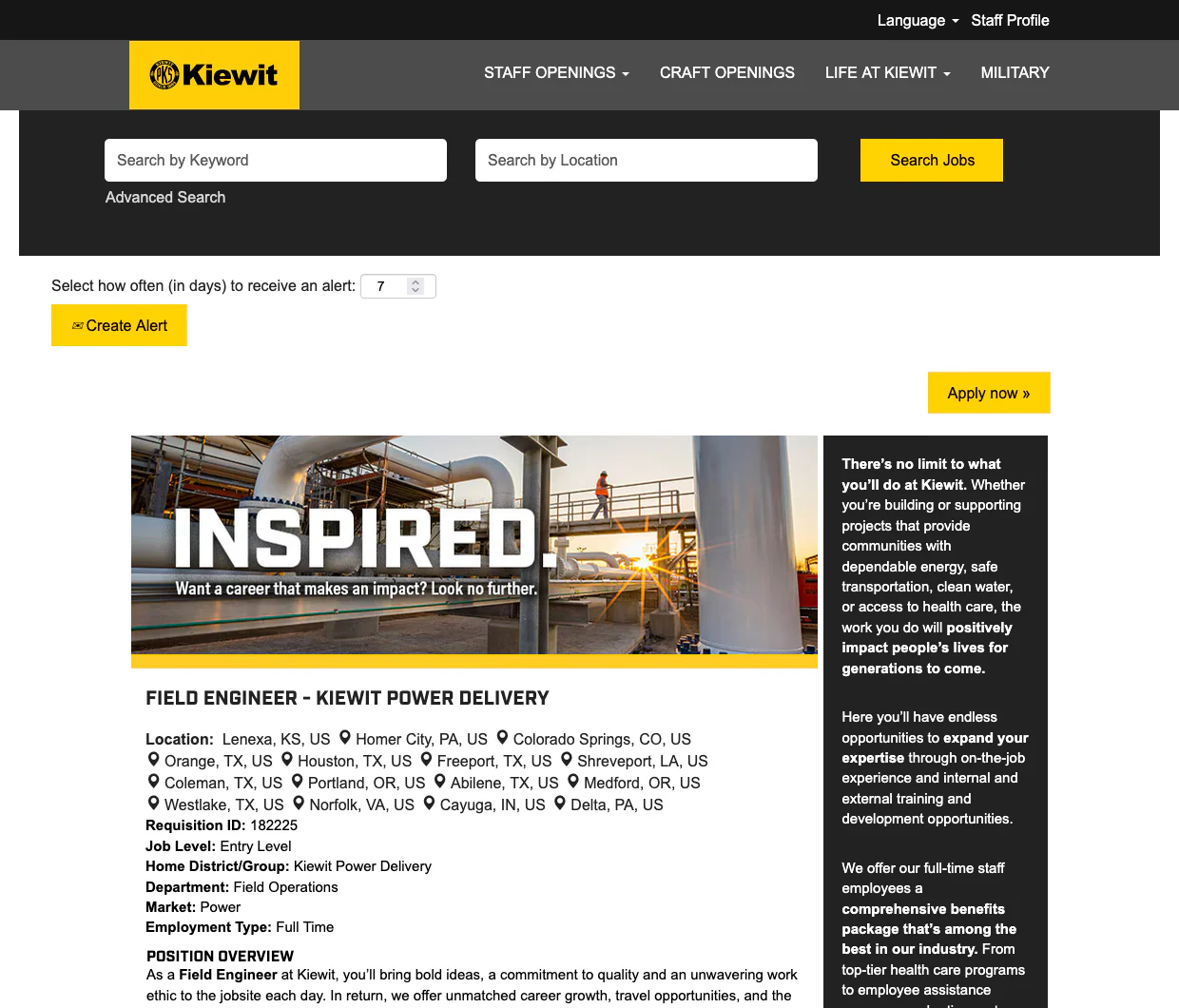
Kiewit’s Field Engineer job posting with locations, employment details and an Apply now button.
A Kiewit Field Engineer job posting

The role page shows locations, experience level and employment type. A candidate can judge basic fit and find the next step from the same page.

View the public page for A Kiewit Field Engineer job posting

Public pages captured in November 2026. Job listings change.

Employer stories in action

Borrow one idea for a role you hire for. Ask the next few candidates what the story helped them understand and what they still wanted to know.

Amazon

Follow an associate through a day of customer support. Show your own team working through a sample request so candidates can see what the job involves.

Marriott

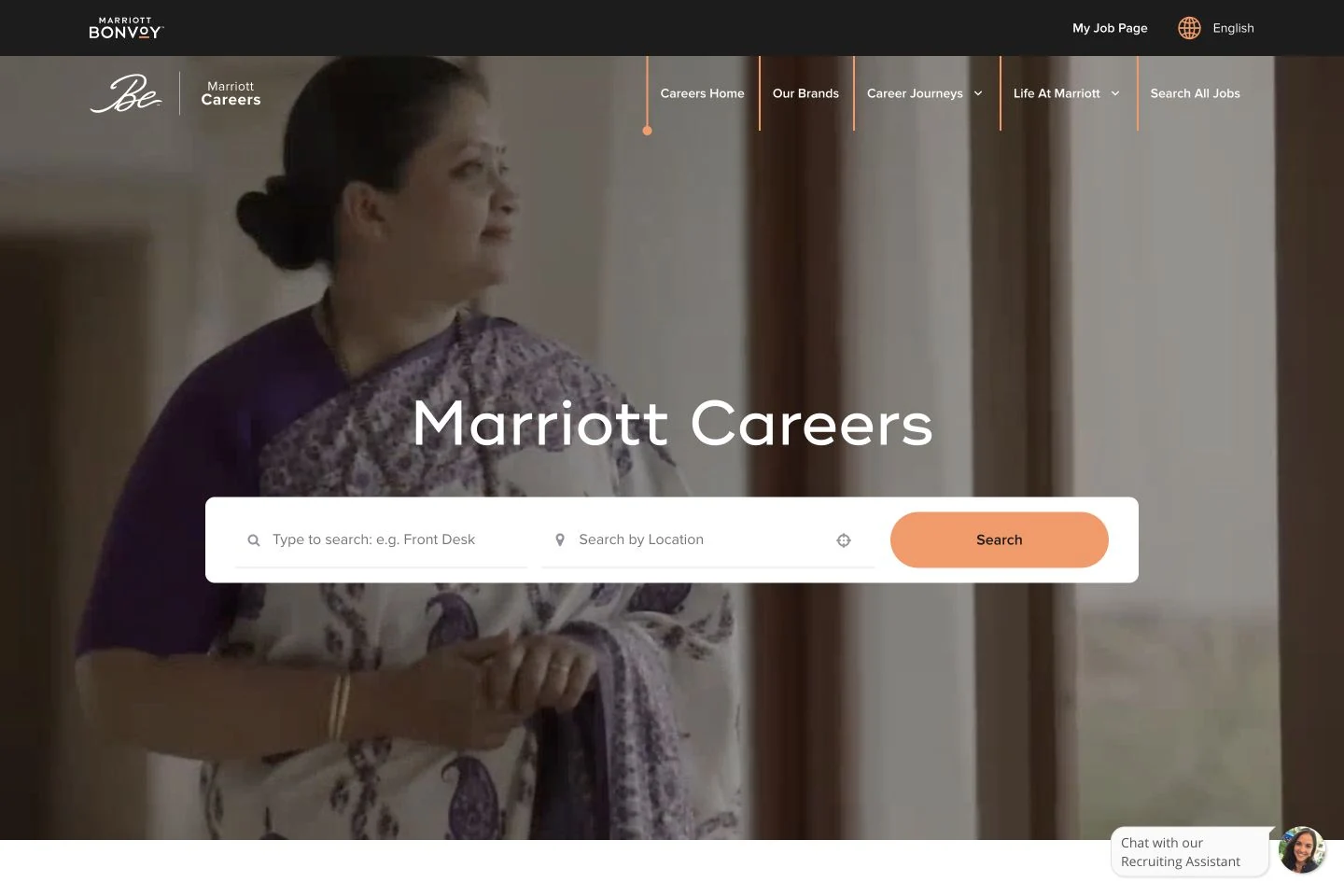
Intern Julia Francis shares a day with Marriott’s consumer PR team. Ask an intern to describe one assignment, who helped, and what they learned.

HCA Healthcare

HCA introduces its nurse residency for new graduates. Show what happens in a new hire’s first week, who trains them, and where they go for help.

Kiewit

Brydon Jewett walks through a day on a construction project in Northern Ontario. Follow a team member from the morning briefing through one task candidates would do.

Bosch USA

Bosch employees show how manufacturing teams work. Ask two people in related roles to explain how they work together and what each learned in their first month.

Google

Google Cloud follows a data center technician. Have one of your technicians describe a routine check, who they work with, and how they learned it.

Independent public examples. Videos and previews belong to their respective publishers.

Employer Brand Value pricing

Need a careers site or a redesign? Start with Build. For ongoing help, choose Host for website care or Managed EBV for website care plus employer profile updates.

EBV website packages

Choose a one-time project to add a careers hub or redesign your website. Monthly care is separate.

Careers Foundation

Give candidates one place to find jobs, see benefits and meet your team.

$8,500
Discuss this plan
What’s included
  • Custom, mobile-friendly careers hub
  • Culture, benefits and your people
  • Job links, search and launch checks

Expanded Employer Brand

Create tailored careers pages when you hire across roles, locations or brands.

$15,000+
Discuss this plan
What’s included
  • Custom roles, locations and brands
  • Day-in-the-life and careers pages
  • Hiring-system review and launch

Host and Managed EBV are alternative monthly plans. Your proposal lists the pages, brands, channels, content volume and approvals we agree on.

The prices shown are Bessire’s service fees. Vendor commissions cover our standard agency services on participating recruitment advertising products. Ad spend and subscriptions such as Indeed and Glassdoor’s Employer Branding Suite carry separate vendor charges. We quote on-site photo or video production and custom integrations separately.

Employer Brand Value questions

Why invest in employer branding?

Candidates may see your job ad, reviews and company site before they speak with you. Use those places to explain the work, schedule and support you offer. Candidates can judge fit earlier and the first interview can focus on their experience and questions.

What should I bring to the review?

Bring a job you’re hiring for, its location and links to the job ad, employer profile or careers page candidates see. In a 15-minute call with Jason Bessire, you can discuss what those pages communicate today and which improvement to prioritize.

Can we start with what we already have?

Yes. Start by reviewing the pages candidates already visit. If those pages are missing useful information about the job or workplace, update the content there first. Consider a paid platform feature or a new careers section when it addresses a specific gap.

Do we need to rebuild our whole website?

A focused Careers or Jobs section can be enough if your existing site serves the business well. A broader redesign may make sense if the rest of the site makes jobs hard to find or is difficult to maintain. We can review your current applicant tracking system and scope links, embeds or integrations it supports.

How do we know which change helped?

Pick one role and record job views, application starts, completed applications and interviews with people who meet your requirements. Look at where people drop out. After a change, compare the same role over similar time periods and note any changes in pay, ad spend or hiring demand.

Review your employer brand

Bring one hard-to-fill role and the job ad, profile or careers page candidates see. In a 15-minute Microsoft Teams call, Jason Bessire will help you identify the first gap to fix, whether candidates need clearer job details, a better look at the work or an easier way to apply.

Book a 15-minute employer brand review Call Jason at 704-666-3411

Bessire & Associates video

Video hosted by YouTube. Use the player’s captions when available.

Bessire & Associates photographs